
The swim instructor appfor lessons parents book and pay for
Kids' groups, private swim lessons and the same slot every week, run from one swim instructor app on your iPhone. Parents book and pay. You stay in the water.
iOS · Free to use
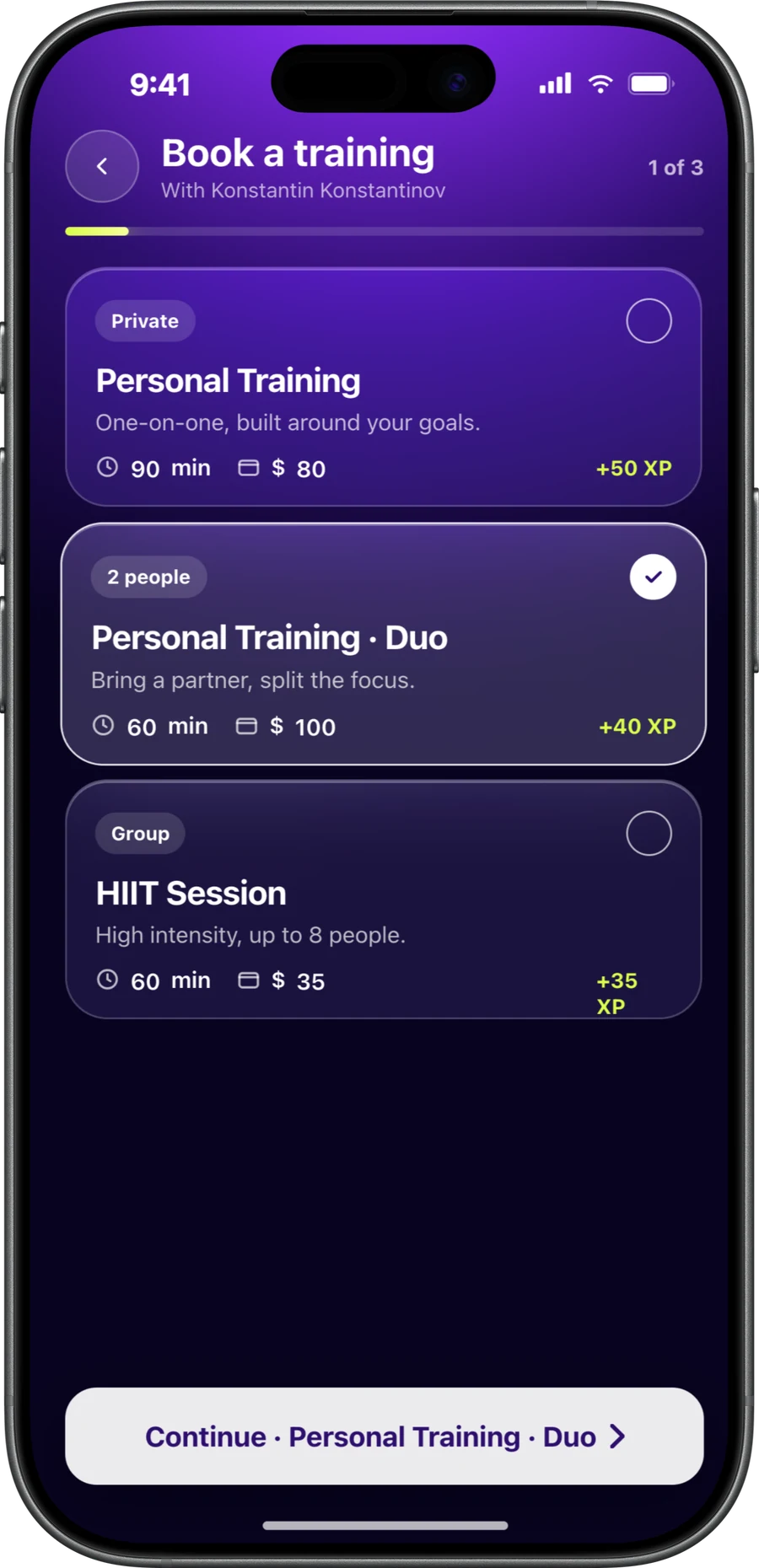
Parents book.You teach.
Kids swim lessons booking runs through the parent, because the parent pays. In CoachOne the parent is your client. They book in the app, or online from your link on whatever phone they have.
The parent holds the booking
The parent books, pays and gets the reminders. Add the child's name and level as an internal note or tag, so you know exactly who is getting in the water.
Groups with a hard cap
Set the capacity to what you can safely watch, for example four beginners. When the lesson is full, it is full.
Private and two person lessons
Run private swim lessons and two person lessons next to your groups. Each one has its own length, price and accepted payment methods.
Approve new families first
Turn on manual approval and a new family sends a request instead of a confirmed booking. Use the chat to ask how confident their child is in the water, then accept.
Weekly lessons.All term long.
Swimming lesson scheduling mostly means the same slot every week. Set a lesson to a fixed weekly time and the sessions generate in your calendar automatically.
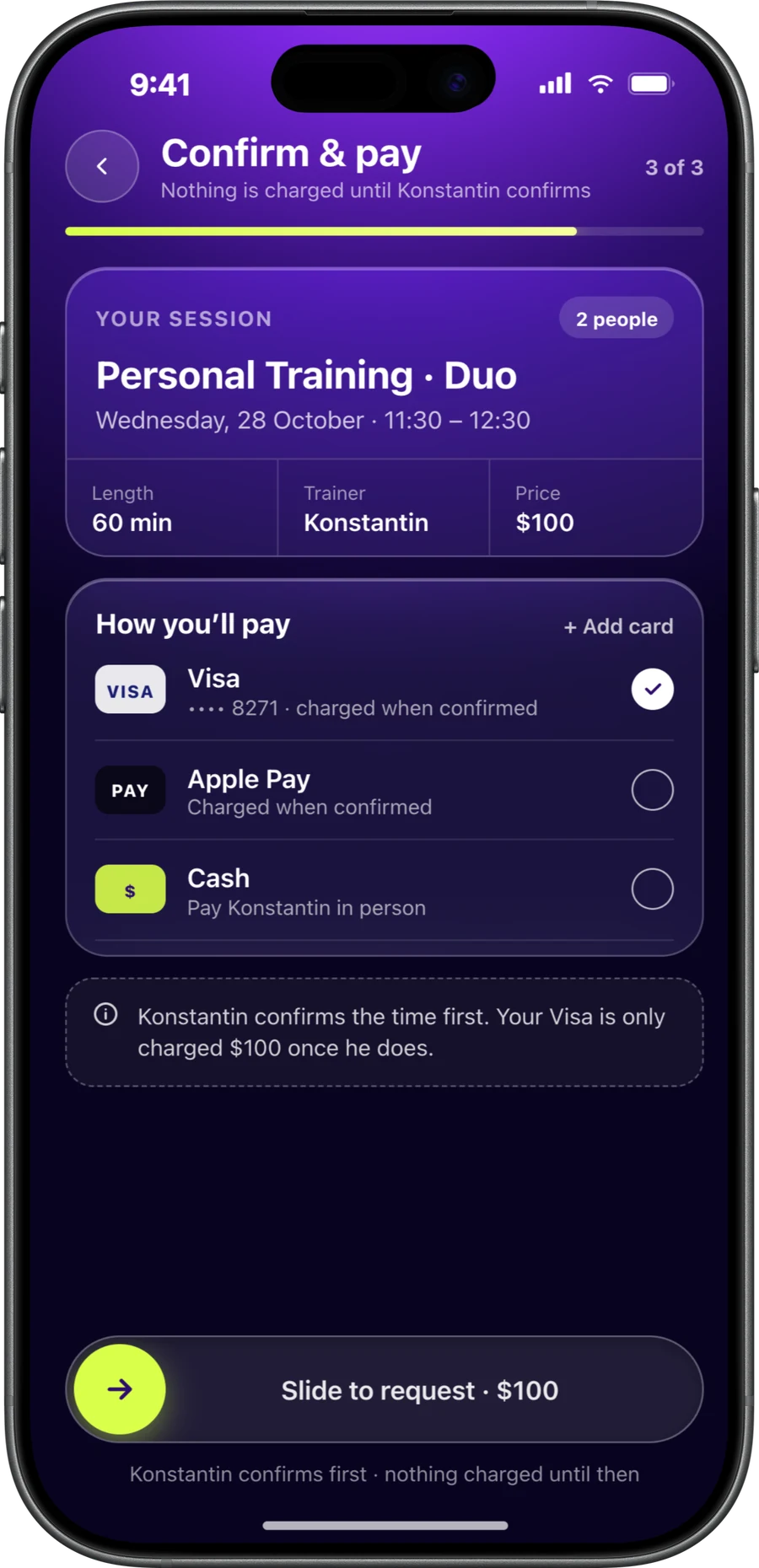
Parents can book lessons weeks ahead. Their card is saved at booking, and the hold is placed within 5 days of each lesson.
CoachOne has no term passes or packages. Each lesson is booked and paid on its own, so tell parents up front how your term works.
- Fixed weekly lessons that repeat automatically
- Confirmed, pending and cancelled lessons clearly marked
- Change a time or price and it applies instantly
- Families who have gone quiet show up in your client list and get a nudge to book again
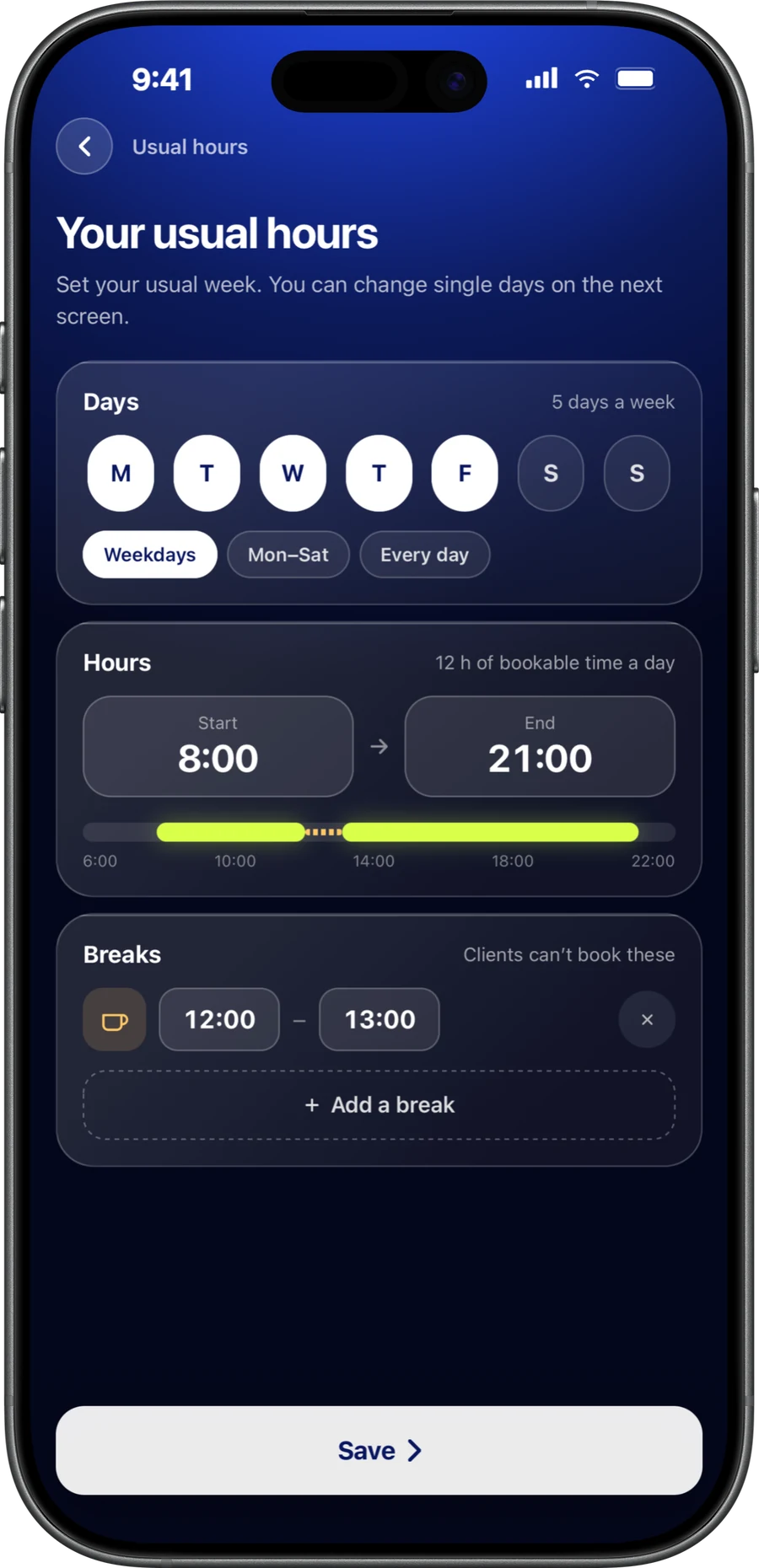
Pool time is fixed.Your bookings follow it.
Any app for swim teachers has to work around pool time. Build your lessons around the slots you have, and parents never see a time you cannot use.
Lessons inside your lane hours
Set your lessons and availability to the hours you have a lane or the whole pool. Parents only see what you open.
The pool moves you, you move the lesson
When the pool changes your slot, edit the lesson. The new time applies straight away for anyone booking.
No clashes with other work
Keep lifeguard shifts or other teaching in Google Calendar? Connect it and CoachOne checks your busy times, so parents cannot book you when you are elsewhere.
One screen before you get in
The dashboard shows today's lessons, new booking requests and cash payments to confirm, so you know the day before your first swimmer arrives.
Lessons get cancelled.No refunds to process.
Children catch colds, and pools close for maintenance. When a lesson is cancelled before it starts, the hold on the parent's card is released. They were never charged, so there is nothing to refund.
If your policy sets a late cancellation fee, only that fee is charged. Parents see your policy before they book. Need wording? Start with the cancellation policy generator.
- Card held at booking, charged after the lesson ends
- Pool closed? Cancel the lesson and every hold is released
- Parents cancel or reschedule in the app
- Parents get a reminder before each lesson, by push in the app or by email if they booked through your link
Your swim instructor app,ready before term starts.
Create your lessons
Add your group lessons with a capacity and your private lessons with their own length and price. Set the regular ones to repeat weekly.
Send parents one link
Share your booking link in the parents' group or on a poster by the pool. Parents open it and book in the app, or online straight from the link with nothing to download.
Add the cash families too
Some parents will always pay at the poolside. Add them manually and record their lessons and payments, so nobody falls off your records.
Get paid weekly
Card payments are paid out once a week to a bank account in your name. Cash lessons sit next to them in your earnings.
Questions fromswim instructors.
Yes. In CoachOne the parent is the client. They book and pay on their own phone, in the app or from your link, and you can note the child's name and level on their profile.
No. Bookings and payments sit on the parent's account. Use internal notes and tags to keep track of which child swims in which group.
Set a capacity on the group lesson, for example four or six. Once that many places are booked, the lesson is full.
Not as one payment. CoachOne has no term packages or class passes, so each weekly lesson is booked and paid on its own.
The hold on each parent's card is released and nobody is charged. The charge only happens after a lesson ends, so there is no refund to process.
Parents pay by card or Apple Pay through Stripe, or in cash. Card income is paid out weekly after a 3% Platform Fee and Stripe's processing costs. Cash has no commission.
No. Parents can book and pay online straight from your link on any phone, Android included, without downloading anything. Only you need an iPhone, for the trainer app, and you can still add families by hand.
The app is free to use, with unlimited clients and lessons. The only cost is the fee on card payments: a 3% Platform Fee plus Stripe's processing costs. Lessons paid in cash cost nothing.
Your next clientcan book tonight.
Download CoachOne, set your usual hours, and share your link.
iOS · Free to use