
The Calendly alternativefor personal trainers
Calendly is a general scheduling tool for all kinds of meetings. CoachOne is an iPhone app built only for Sport Trainers, with bookings, payments, client chat and reminders in one place.
iOS · Free to use
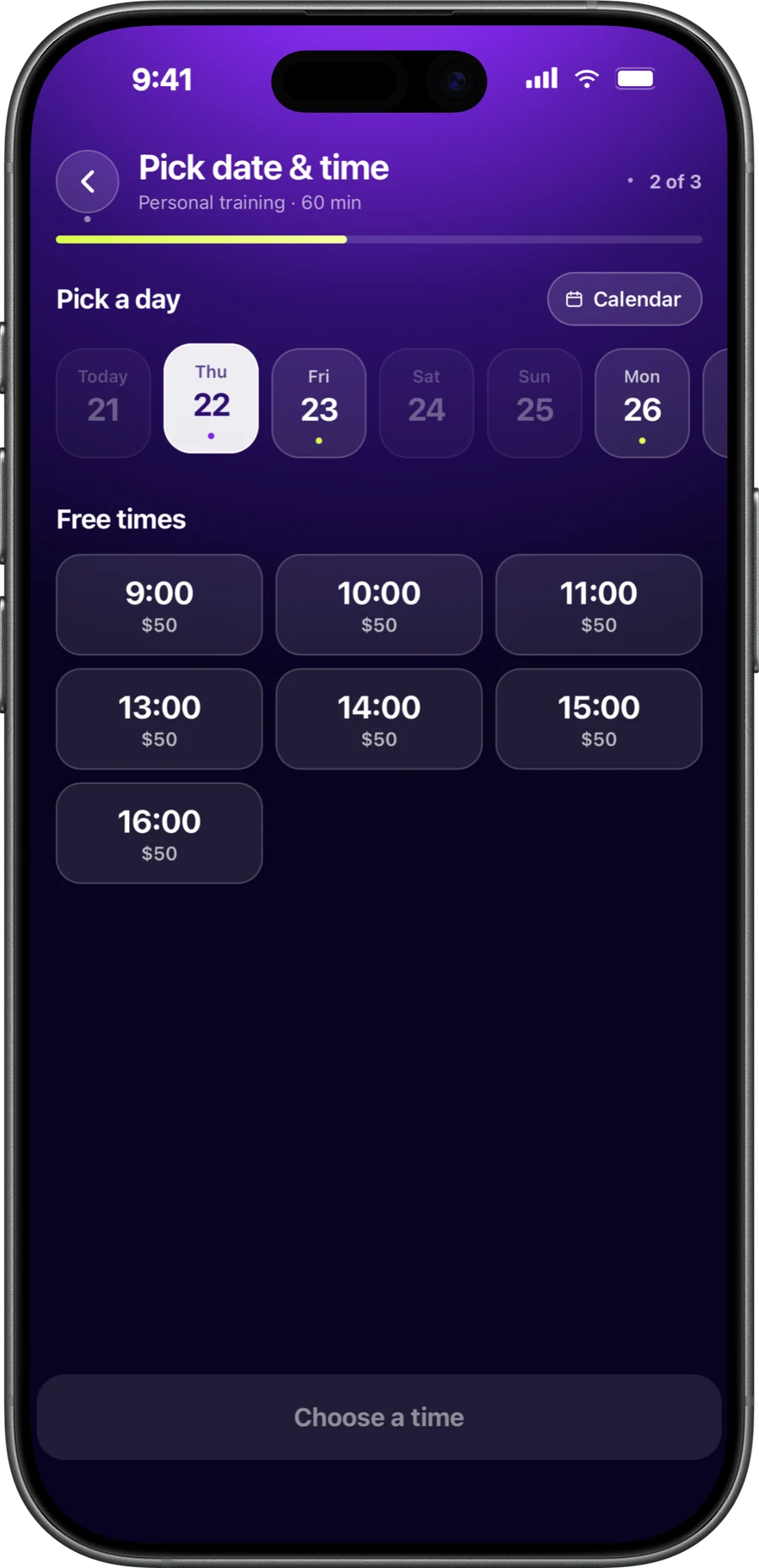
Calendly alternative for personal trainerscompared side by side
If you are searching for a Calendly alternative for personal trainers, start with what each tool is built for. Here is how they compare when you sell sessions.
| Topic | Calendly | CoachOne |
|---|---|---|
| Built for | Scheduling for individuals, teams and companies in many industries | Independent Sport Trainers who sell sessions |
| How clients book | A web booking page. Invitees only need an email address | From your booking link, online on any phone with no download, or in the CoachOne app |
| Session types | Individual meetings, plus group event types on paid plans | Private, duo and group sessions, fixed weekly or on flexible dates |
| Card payments | Stripe or PayPal on paid plans, collected at booking | Card and Apple Pay through Stripe. A hold at booking, charged after the session |
| Cancelled paid session | Refunds are given in Stripe or PayPal, not in Calendly | The hold is released. Only your late cancellation fee, if you set one, is charged |
| Reminders | Automated email and text workflows on paid plans | Automatic reminders by push in the app, or by email for link bookings. Follow ups sent to clients |
| Prepaid packages | Meeting packages on paid plans | Not offered. Clients pay per session |
| Online sessions | Google Meet and Zoom integrations | Google Meet links when you connect Google Calendar |
| Apps | Works in a browser, with iPhone and Android apps for hosts | An iPhone app for you. Clients book in the app or online from your link |
Calendly is a trademark of its owner. Details checked in October 2026 from the official website.
More than a booking page.The whole week in one app.
A booking link solves one problem. The rest of your week still needs attention: who paid, who owes you, who has gone quiet, and which cash sessions you still need to confirm.
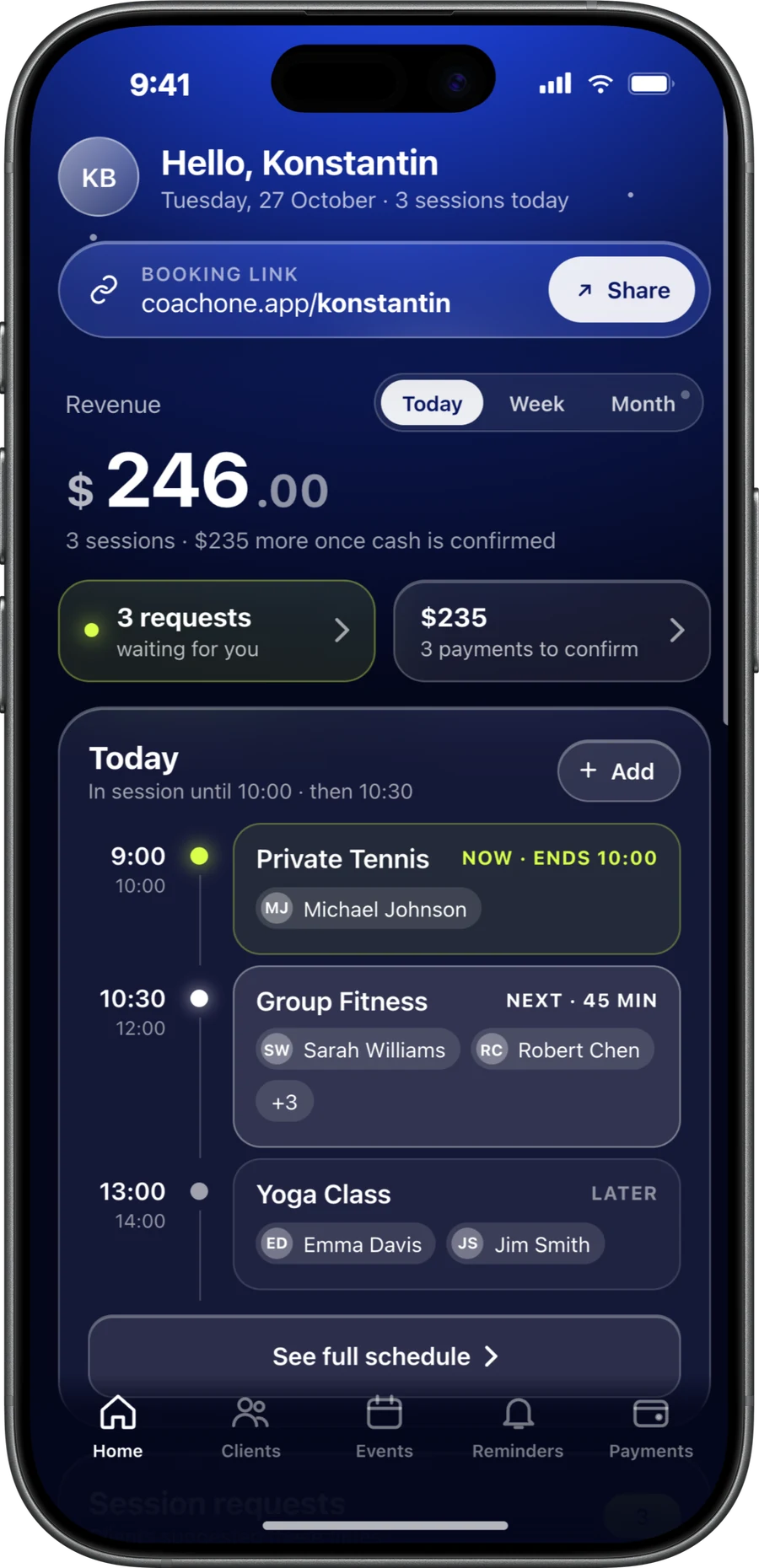
CoachOne keeps all of that next to your calendar. Your dashboard shows today's earnings, today's schedule, pending requests and payments to confirm. Each client has a profile with training history, attendance and any outstanding balance.
- Card, Apple Pay and cash tracked in one place
- Split and partial payments
- Income by client, by service and by date range
- Clients who have gone quiet, flagged for you
- One chat per client, with every booking and reschedule in it
Built around sessions.Not just meetings.
A scheduling app for personal trainers needs to understand capacity, payment and attendance. CoachOne builds these in.
Rules for every service
Set duration, price, capacity and accepted payment methods. Choose auto confirm or manual approval, and invite only or open booking.
Charged after the session
A card booking places a hold first. The amount is charged after the session's scheduled end time, so a declined booking never needs a refund. See how payments work.
Recurring sessions
Fixed weekly sessions appear on your calendar automatically, each with a clear status: confirmed, pending or cancelled.
Reminders about money too
Reminders cover sessions, bookings and payments, for example 24 hours and 1 hour before. Follow ups go out to clients on their own, once or on repeat.
When Calendly fits better.An honest answer.
CoachOne is not the right tool for everyone. Calendly may suit you better if any of these sound like you.
You sell session packages
Calendly offers prepaid meeting packages on paid plans. CoachOne charges per session and has no packages or class passes.
You book more than sessions
If you also run sales calls or share calendars with colleagues, a general scheduling tool covers more of that work.
You need PayPal
Calendly connects to Stripe and PayPal. CoachOne takes card and Apple Pay through Stripe, plus cash.
You plan from a computer
Calendly works in a browser. CoachOne has no desktop or browser dashboard for trainers, so you run your week from your iPhone.
You coach from an Android phone
Calendly has host apps for iPhone and Android. The CoachOne trainer app runs on iPhone only, even though your clients can book from any phone.
Moving over from Calendly.Four steps.
Recreate your sessions
Turn each Calendly event type into a CoachOne service with its duration, price, capacity and payment methods.
Connect Google Calendar
This is optional. CoachOne checks your busy times so clients cannot book over other plans, and online sessions get a Google Meet link.
Set your cancellation policy
Clients see it before they book. The cancellation policy template gives you a starting point.
Share your new link
Send your booking link to clients, who can book from any phone. Add anyone who would rather not book themselves by hand, so their sessions and payments still count.
Questions aboutswitching.
Calendly for personal trainers works well when you mainly need people to pick a time slot. If you also want session payments, cash tracking and client balances in one place, a trainer app like CoachOne covers more of your day.
It can serve both. Calendly is used by individuals and teams across many industries, including sales and recruiting. CoachOne is narrower and built only for Sport Trainers who sell sessions.
It depends on how you work and how you get paid. If you run your business from an iPhone and want payments and client records alongside your calendar, CoachOne is built for that.
No. Anyone who taps your link can book and pay online, on iPhone or Android, with no download. Clients who prefer the CoachOne app can use it, and you can still add clients yourself.
A hold is placed when they book, and the amount is charged after the session's scheduled end time. For sessions booked more than 5 days ahead, the card is saved and the hold is placed within 5 days before the session.
Yes. If you connect Google Calendar, CoachOne checks your busy times there, so a call from another tool that lands in that calendar blocks the slot.
CoachOne is free to use, with no monthly fee. The only charge is a 3% Platform Fee plus Stripe's processing costs on card payments. Cash sessions carry no commission.
Your next clientcan book tonight.
Download CoachOne, set your usual hours, and share your link.
iOS · Free to use