
The personal trainer appfor running your PT business
CoachOne is the personal trainer app for running your business from your iPhone. Clients book through one link and pay by card, Apple Pay or cash. Your chat with each client, reminders, records and payouts sit in the same place.
iOS · Free to use
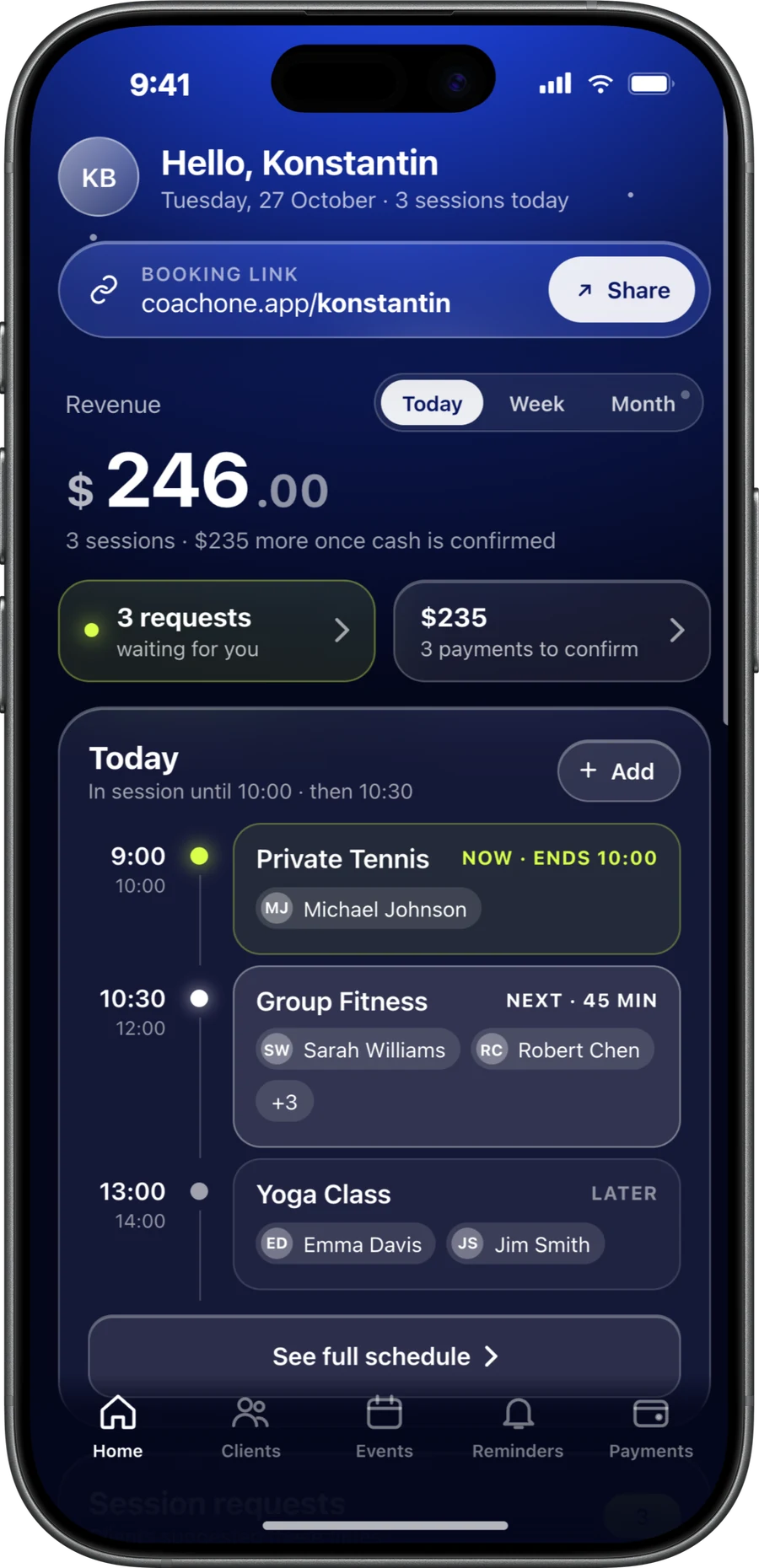
One trainer.Every part of the business.
This is personal training software for the self-employed personal trainer, not for a gym with a front desk. You do the coaching. CoachOne keeps the bookings, the money and the records in order.
A link, then one chat per client
Share one link. Clients book in the app, or online from the link on any phone, without ten messages to agree on Thursday. Each booking then shows up in your chat with that client.
Card, Apple Pay and cash
Card and Apple Pay run through Stripe and are paid out to your bank account. Cash sessions sit in the same list until you confirm the money.
Reminders that send themselves
Clients on the app get a push 24 hours and 1 hour ahead. Clients who booked online through your link get an email. Follow ups you set for a client or a session send to them on their own, once or on repeat.
Online sessions with Google Meet
Online sessions go into your Google Calendar with a Meet link once you connect it. Clients cannot book you at times your calendar already shows as busy.
Your regulars,on repeat.
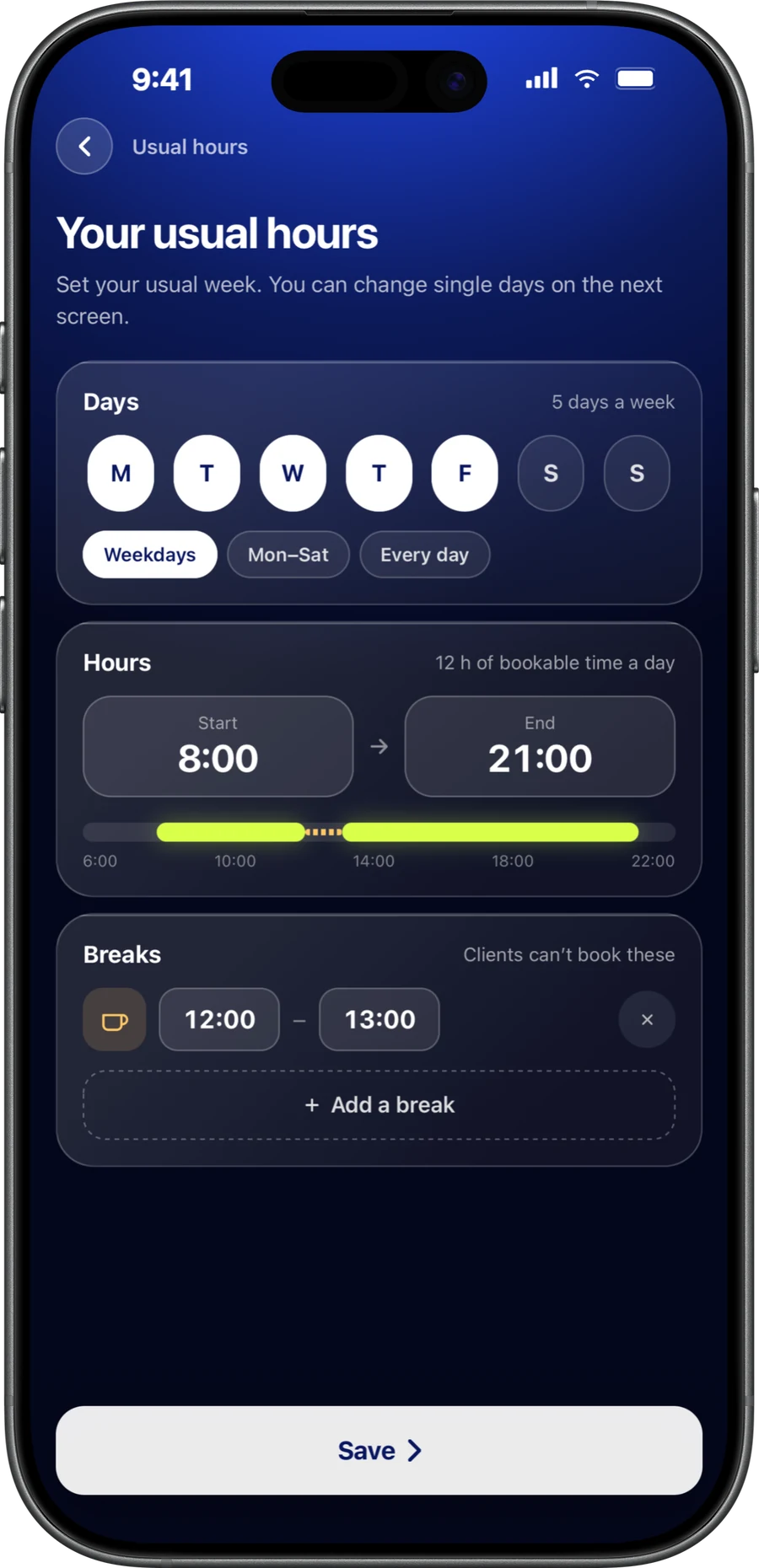
Your week is built around regulars. The 6am before work, the lunchtime slot, the Saturday pair. A personal trainer scheduling app should not make you rebuild them every week.
Create a fixed weekly service, make it invite only and assign it to the client. Each week's session appears in your calendar automatically, with its status clearly marked.
For clients who train whenever they can, open flexible dates and let them pick from the times you have set.
- Private, duo or group, each with its own price, length and cap
- Auto confirm, or approve each booking request yourself
- Edit prices, times and availability whenever you need. Changes apply instantly.
- Clients cancel or reschedule in their app, and reschedules land in your chat with them, not in your DMs
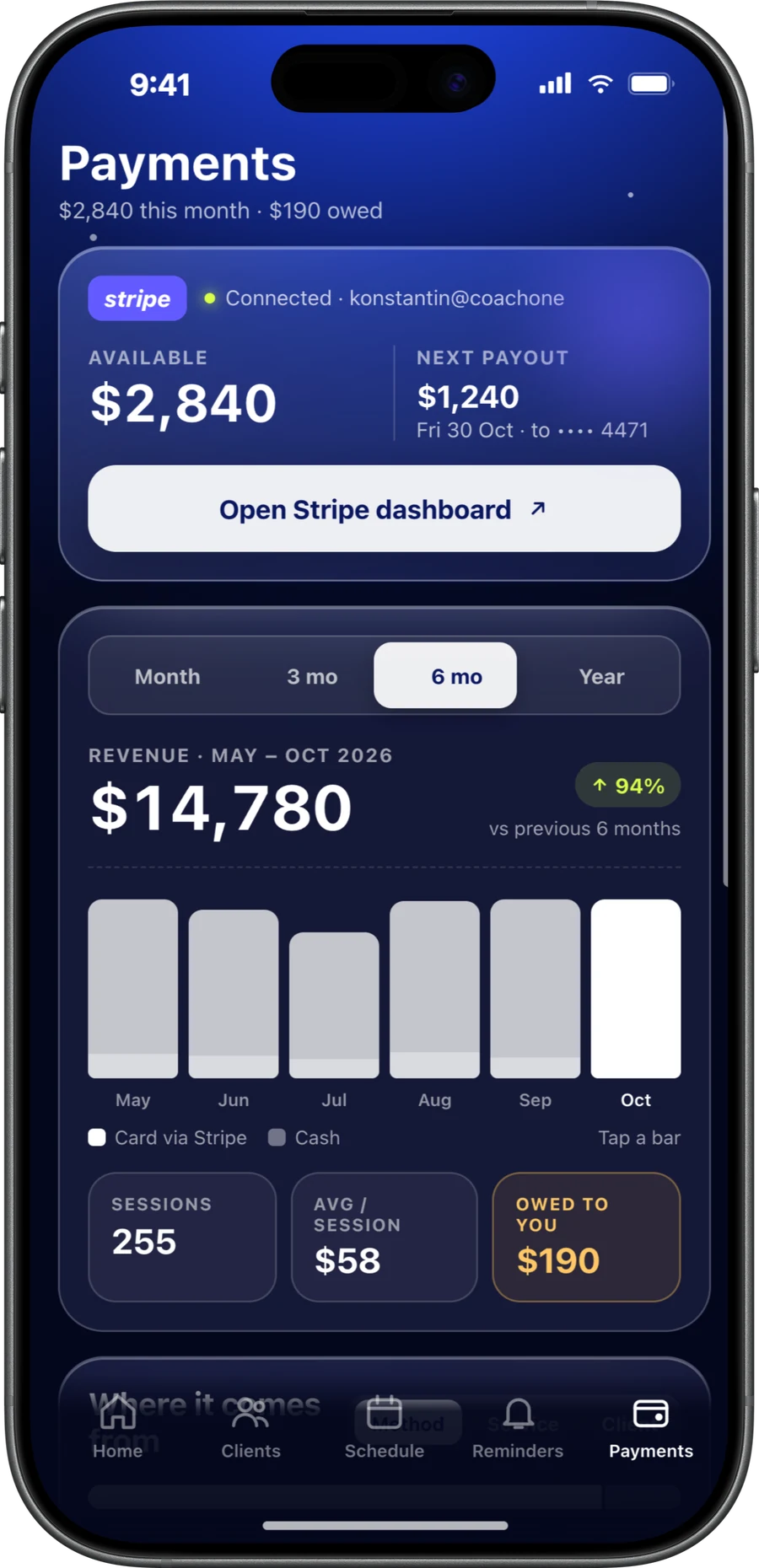
Paid for every session.Card or cash.
When a client books with a card, a hold is placed and nothing is charged yet. The amount is taken after the session's scheduled end, so there is nothing to ask for when you finish.
When you decline a request, the hold is released. The same happens when a session is cancelled before it starts. Either way the client pays nothing and you have no refund to handle.
Late cancellations cost the client only the fee your cancellation policy sets, if it sets one. Cash clients stay in the same place: confirm the money when you have it and it counts in your earnings.
- Weekly payouts to a bank account in your name, in your local currency
- A 3% Platform Fee on card payments plus Stripe's costs, itemised in the app
- Cash sessions carry no commission, and bookings carry no fixed fee
- Split and partial payments supported
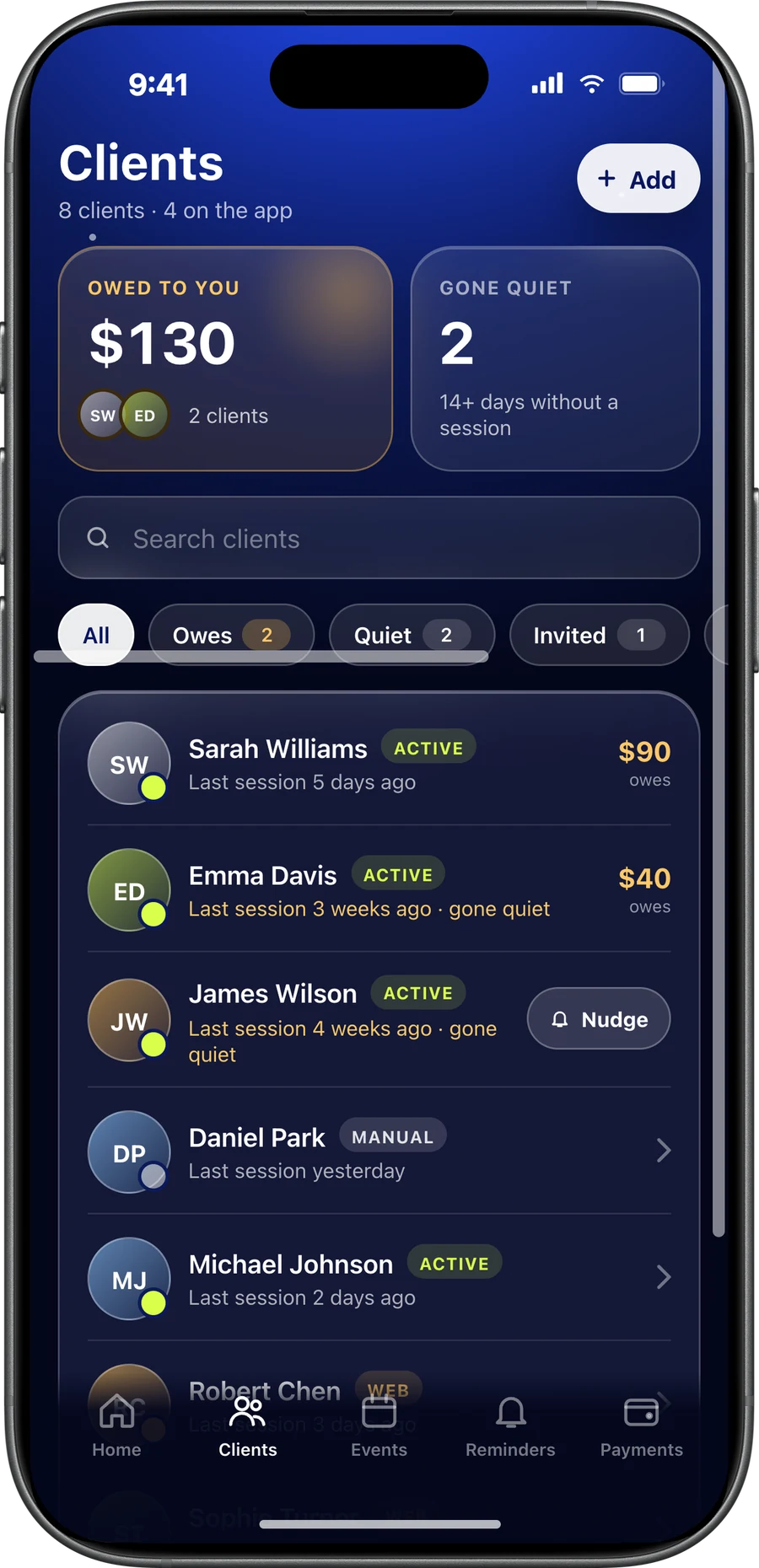
Who owes you.Who went quiet.
Open a client and you see their contact details, attendance log, session history, payments and what they still owe. Your private notes and tags sit alongside.
The client list also shows people who have not booked in a while, and they get a nudge to book again. Checking in after two quiet weeks is easier than after three months.
Earnings break down by client, by service and by date range, with your top paying clients listed. You know how the month went without opening a spreadsheet.
A personal trainer app,not a workout app.
CoachOne does not write workout programmes, log sets or track nutrition. It is a personal trainer business app: bookings, payments, clients and reminders.
If you programme in another app or a shared spreadsheet, keep doing that. Run the business side in CoachOne next to it.
Clients who use the app still get something to look at between sessions. They watch their training hours add up, keep a weekly streak going, fill their attendance calendar and collect badges. That is attendance, not fitness data.
Start withone service.
Install and set up
Download CoachOne from the App Store and set up your trainer profile. It is free, and you need no card and no laptop.
Create your first service
Pick private, duo or group, in person or online. Set the length, price, capacity and the payment methods you accept.
Send your link
Share it with current clients and put it in your Instagram bio. New clients book from the same link, in the app or online without downloading anything.
Turn on card payments
Verify your identity in the app to accept card and Apple Pay. It takes about 3 minutes. Or start with cash and add cards later.
Add the rest by hand
Some clients will never tap a link. Add them yourself and log what they book and pay.
Questions frompersonal trainers.
It depends on what you need. If you want bookings, a chat with each client, card and cash payments, client records and reminders in one iPhone app, CoachOne is built for that. Our guide on choosing an app covers what to look for.
No. There is no workout programming or nutrition in CoachOne. Keep the tool you programme in and use CoachOne for the business around it.
Clients choose card or Apple Pay as they book. A hold is placed first, the amount is charged after the session, and payouts reach your bank weekly. Read more on taking card payments.
CoachOne is free to use, with unlimited clients and sessions and no monthly fee. On card payments there is a 3% Platform Fee plus Stripe's processing costs. Cash sessions cost nothing.
No. Clients can book and pay online straight from your link on any phone, without downloading anything, or use the CoachOne iPhone app. You can also add clients yourself and record their sessions and payments by hand.
Yes. Make a session online and connect Google Calendar. CoachOne adds it with a Google Meet link and updates or removes it if the session moves or is cancelled.
Yes. If you sell your own sessions, CoachOne fits wherever you train clients. It is not built for the gym itself, so there are no staff accounts or front desk tools.
Your next clientcan book tonight.
Download CoachOne, set your usual hours, and share your link.
iOS · Free to use