
The Acuity Scheduling alternativefor personal trainers
Acuity is a flexible online scheduler for appointment businesses of many kinds. CoachOne is an iPhone app made for Sport Trainers. Clients book and pay from your link, and you see who owes what.
iOS · Free to use
Acuity Scheduling alternative for personal trainersfeature by feature
Choosing an Acuity Scheduling alternative for personal trainers comes down to how your clients book and how you want to get paid. Here is a fair look at both.
| Topic | Acuity Scheduling | CoachOne |
|---|---|---|
| Built for | Appointment businesses in beauty, wellness, fitness, education and more | Sport Trainers who sell their own sessions |
| How clients book | Your scheduling page in a browser. Client accounts are optional | Online from your link on any phone, no download needed, or in the CoachOne app |
| Payment processors | Stripe, Square or PayPal, connected by you | Stripe, built into the app |
| When clients pay | In full or as a deposit at booking, or charged later | A hold at booking, charged after the session ends |
| Cancelled paid session | Refunds are issued in your payment processor, not in Acuity | The hold is released, so no refund is needed |
| Cash | Cash payments can be recorded | Cash sessions tracked next to card payments |
| Packages and gift certificates | Packages, subscriptions and gift certificates on Standard and Premium | Not offered |
| Intake forms | Custom intake forms on every plan | Not offered |
| Reminders | Email reminders, plus text on Standard and Premium | Push in the app, or email for link bookings. Follow ups go to clients on their own |
| Calendar sync | Google, iCloud and Outlook calendars | Google Calendar, with Google Meet links for online sessions |
| Mobile app | Admin app for iPhone and Android | An iPhone app for you. Clients can use it or book without it |
Acuity Scheduling is a trademark of its owner. Details checked in October 2026 from the official website.
Charged after the session.Not before it.
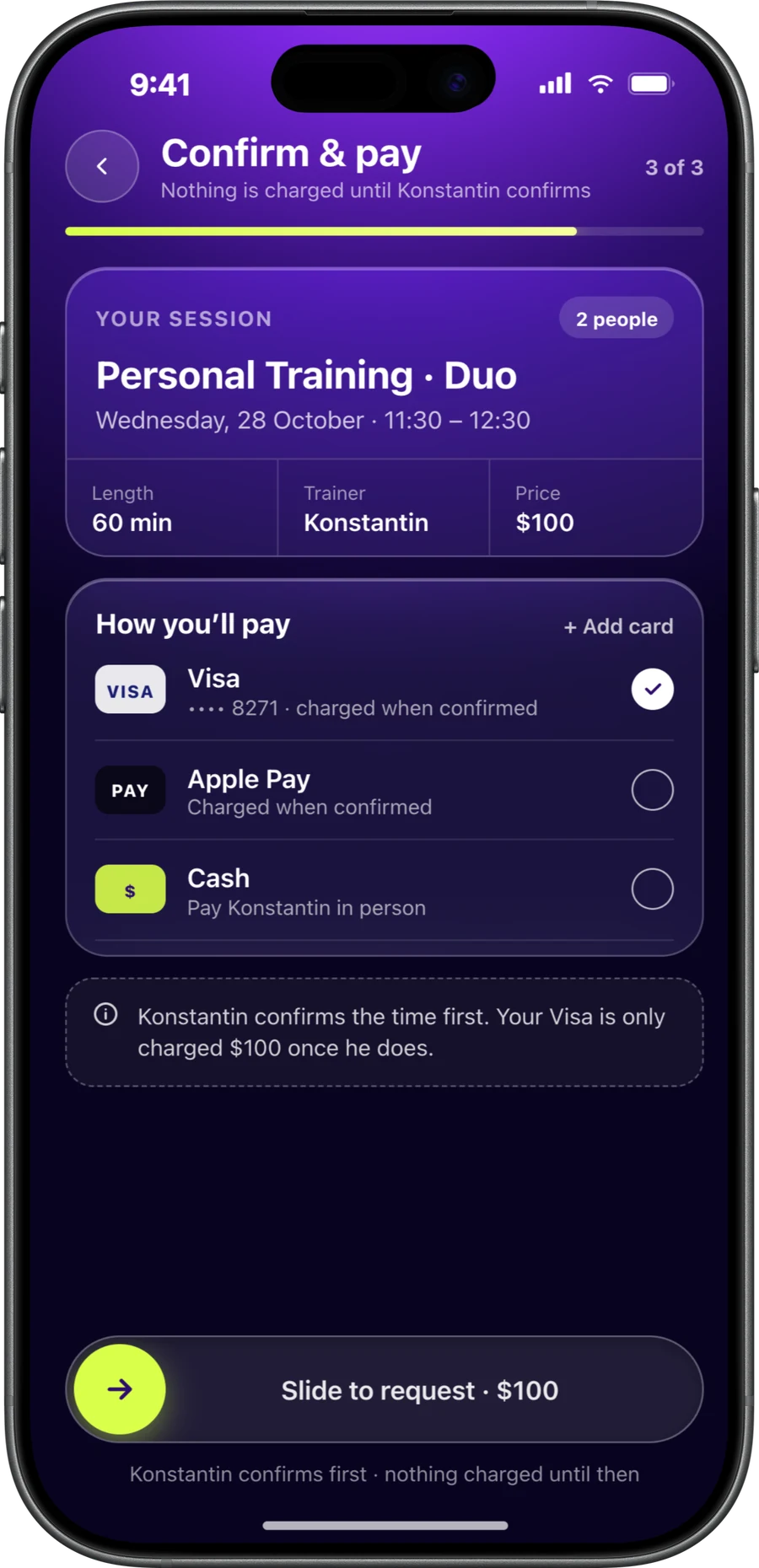
With CoachOne, a card booking starts as a hold. The client is not charged until the session's scheduled end time. If you decline the request or the session is cancelled before it happens, the hold is released.
Clients see your cancellation policy before they book, and a late cancellation fee you set is the only amount charged. Read more about taking card payments as a personal trainer.
- Card and Apple Pay through Stripe
- Cash sessions confirmed from your dashboard
- Weekly payouts to a bank account in your name
- Fees itemised in the app before payout
Appointment scheduling for coaches.Plus the money side.
Good appointment scheduling for coaches covers more than open slots. These parts of CoachOne are shaped around training sessions.
Private, duo and group
Offer private, two person and group sessions, each with its own capacity, price and booking rules.
Money owed, per client
Every client profile shows the outstanding balance, payment history and attendance, so you know who to follow up with.
Clients who went quiet
CoachOne highlights clients with no session for a while and sends them a nudge to book again, before they drift away.
Progress clients can see
Clients get training hours, weekly streaks and badges based on attendance. It is not fitness tracking, just a reason to keep showing up.
When Acuity fits better.Worth knowing.
Acuity has strengths CoachOne does not try to match. It may be the better pick in these cases.
You sell packages or gift cards
Acuity offers packages, subscriptions and gift certificates on its higher plans. CoachOne charges per session only.
You need intake forms
Acuity collects custom intake forms during booking. CoachOne has no forms, so you would keep a separate tool.
You prefer Square or PayPal
Acuity connects to Stripe, Square or PayPal. CoachOne uses Stripe for card and Apple Pay.
You use iCloud or Outlook
Acuity syncs with Google, iCloud and Outlook calendars. CoachOne connects to Google Calendar.
You run your business on Android
Acuity has an admin app for iPhone and Android. The CoachOne trainer app is iPhone only.
Leaving Acuity?Start here.
Match your appointment types
Create a CoachOne service for each Acuity appointment type or class, with duration, price, capacity and payment methods.
Let current bookings finish
Keep appointments already booked in Acuity where they are, so no client is caught between two systems.
Add your clients
Send current clients your link so they book themselves, or add them by hand with notes and tags and record their sessions and payments.
Check your reminders
Look over the automatic session reminders, for example 24 hours and 1 hour before, then set follow ups that go out to clients once or on repeat.
Questions aboutswitching.
Acuity for personal trainers works well if you want intake forms, packages and a choice of payment processors. If you want booking, payment and client balances together in one iPhone app, CoachOne is built for that.
At minimum, bookable sessions with capacity, a way to take payment, automatic reminders and a cancellation policy clients see before booking. A record of who owes you money helps too.
CoachOne is one. You run your sessions in the iOS app, and clients book and pay in it or online from your link, on any phone.
No. Card and Apple Pay payments run through Stripe inside the app, and cash sessions are tracked in the same place.
Yes, clients can cancel or reschedule in the app, and each reschedule appears in your chat with them. Your cancellation policy decides whether a late cancellation fee applies.
A 3% Platform Fee plus Stripe's processing costs, itemised in the app and deducted before payout. There is no fixed fee per booking and no commission on cash.
No. Clients book in the CoachOne app or online from your link. Google Calendar is optional and only for you, to add online sessions with Meet links and block your busy times.
Your next clientcan book tonight.
Download CoachOne, set your usual hours, and share your link.
iOS · Free to use