
The booking app for personal trainerswho would rather coach than schedule
CoachOne is a booking app for personal trainers and other Sport Trainers who sell sessions. Set up your sessions once, share one link, and let clients book themselves from any phone.
iOS · Free to use
Set up a session once.Clients take it from there.
Every booking starts with a service. You decide the format, the price and the rules, and every booking that comes in follows them.
Private, duo or group
Run one to one sessions, two person sessions and small groups side by side. Each service has its own capacity, so a group never takes more people than you set.
Fixed weekly or flexible
Pick a fixed weekly slot for your regulars, or offer flexible dates when your week moves around. Both land in the same calendar.
Your price, your methods
Set the duration and price, then choose what each service accepts: card, Apple Pay, cash or a mix of them.
Auto confirm or approve
Let bookings confirm on their own, or check each request first. Anything waiting for your answer sits on your dashboard.
Invite only or open
Keep a service for the clients you invite, or open it to anyone who has your booking link.
One booking link.Every session you offer.
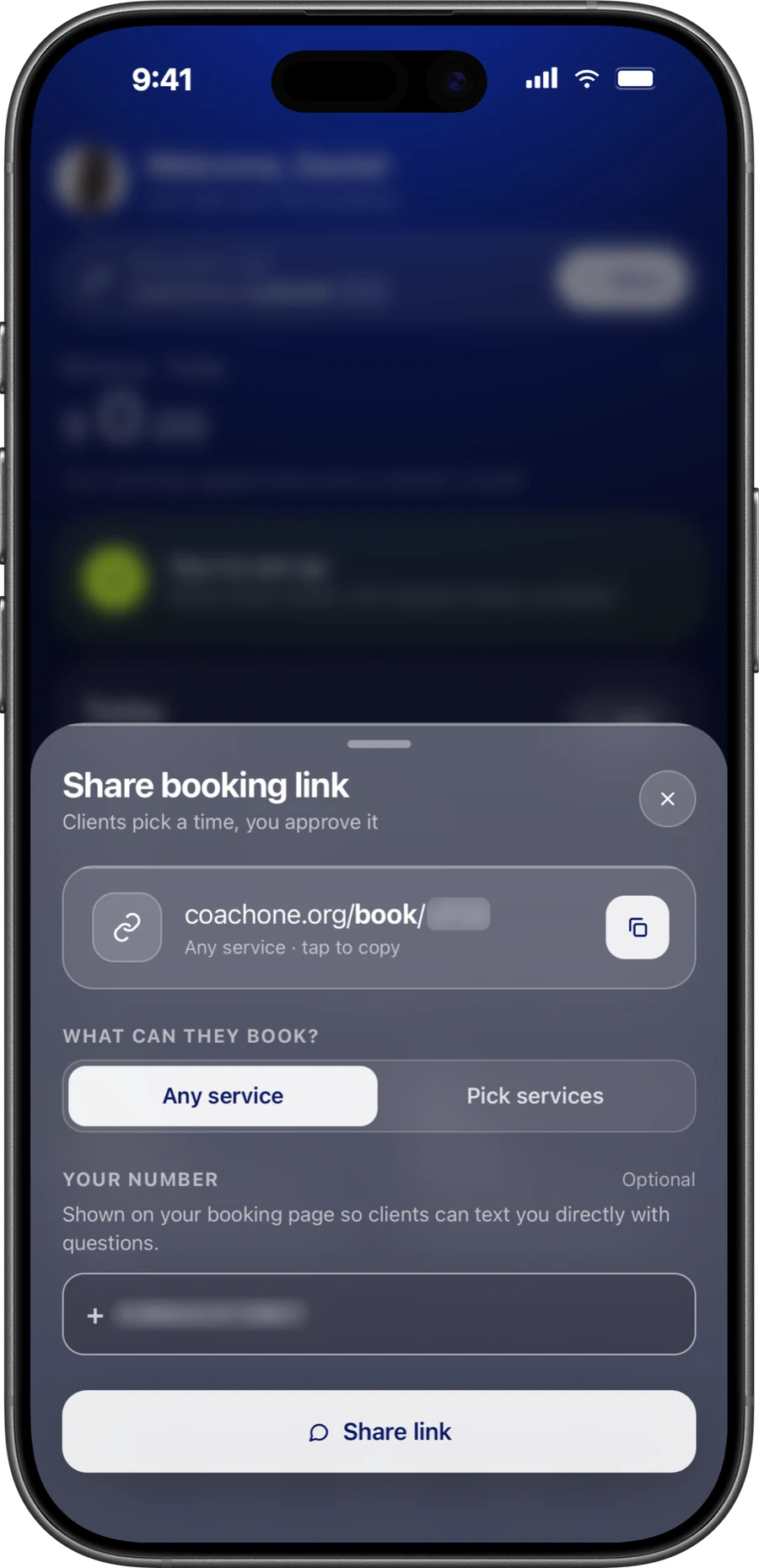
Your booking link replaces the back and forth in DMs. Put it in your Instagram bio, send it on WhatsApp, or share it after a first session.
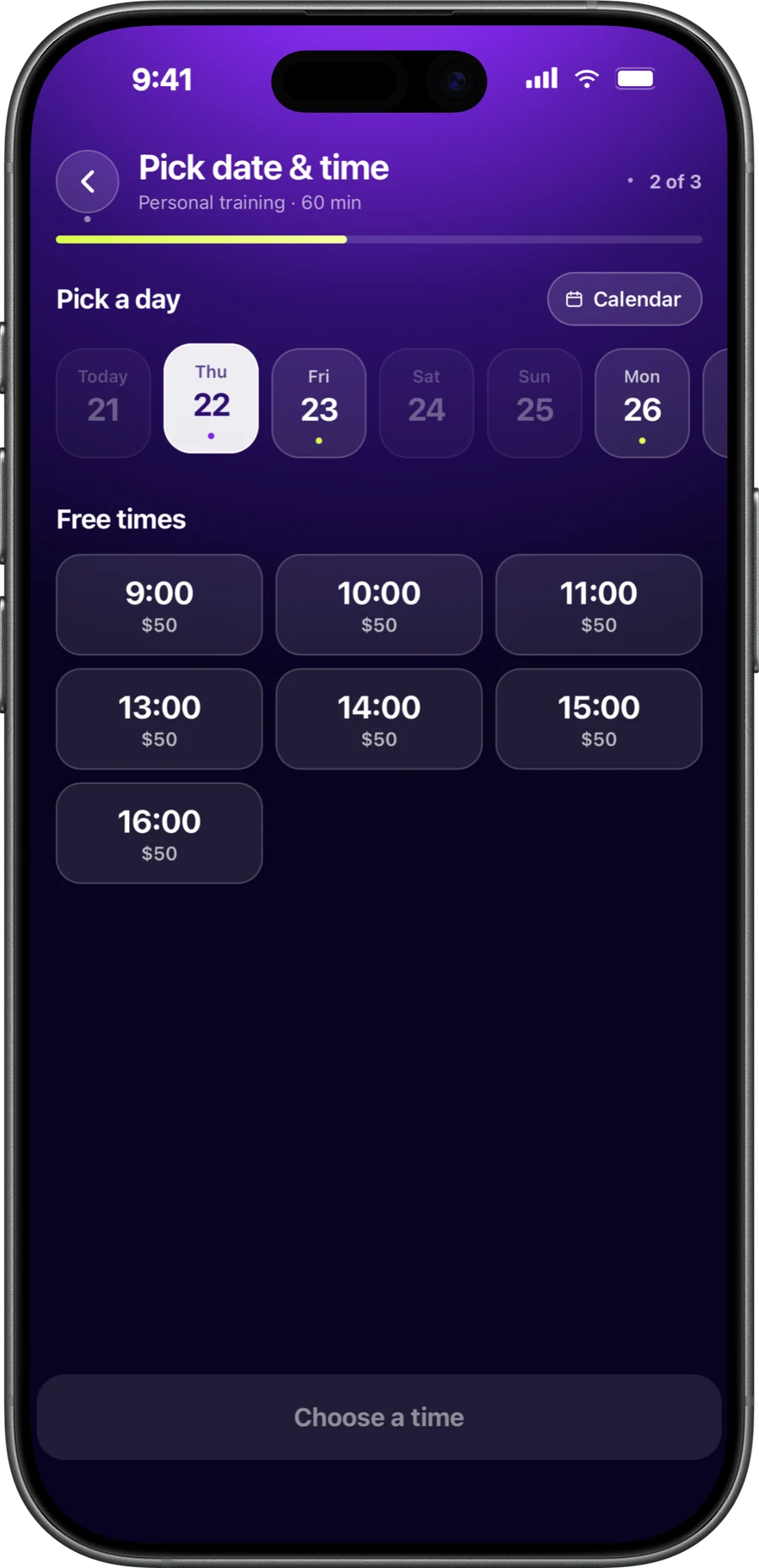
Clients see what they can book in the CoachOne app, or online straight from the link on any phone, including Android, without downloading anything.
On their side, it works as a simple client booking app for coaches: pick a session, pick a time, choose how to pay. Your cancellation policy is shown before they confirm.
- Clients book and pay in a few taps, with or without the app
- They see whether each session is confirmed or pending
- They can cancel or reschedule in the app
- Every booking and reschedule shows up in your chat with that client
- Clients who would rather not book themselves can be added manually, with their sessions recorded by you
Your week in time blocks.Recurring sessions included.
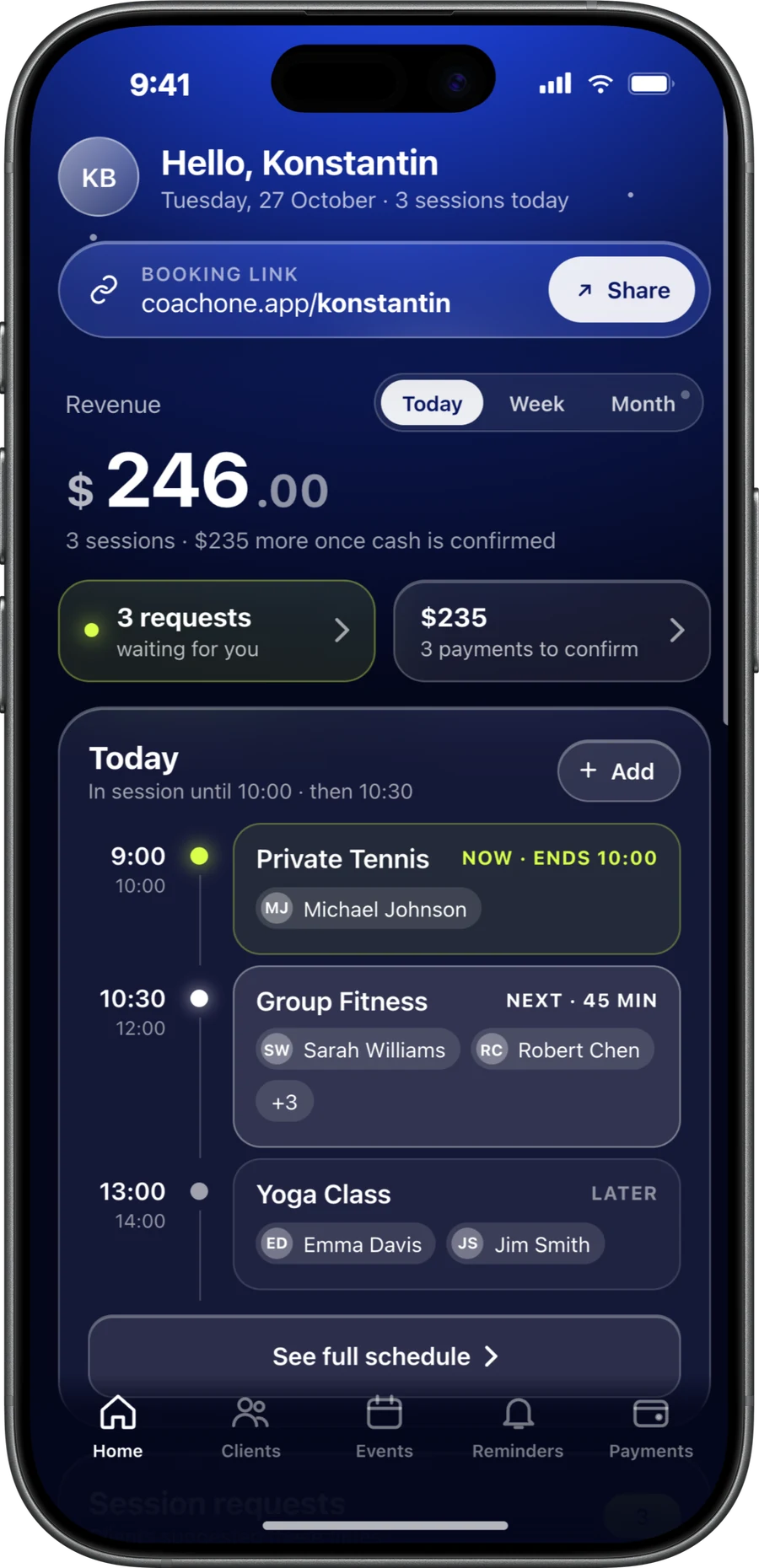
As a personal trainer scheduling app, CoachOne lays out each day in time blocks. Upcoming and past sessions sit together, each marked confirmed, pending or cancelled.
Recurring sessions generate automatically from your weekly services. Set a Tuesday 7am slot once and it appears in your calendar week after week, with nothing to copy forward.
Change your usual hours, a price or a service whenever you need to. The change applies instantly, so clients only see what you offer right now.
- Today's schedule and pending requests on your dashboard
- Connect Google Calendar so clients cannot book over your busy times
From setupto first booking.
Create a service
Choose private, duo or group, then set the duration, capacity, price and payment methods.
Choose how bookings land
Auto confirm suits regulars. Manual approval suits new clients, or sessions where you want to check who is coming first.
Share your booking link
Send it to current clients and post it where new ones already find you.
Let the calendar fill
Bookings arrive with a clear status, and automatic reminders go out before each session.
A booking app for personal trainers,not for gyms.
CoachOne is a session booking app for one trainer selling their own time. It fits personal trainers, tennis coaches, yoga instructors, swim instructors and boxing coaches alike.
It is not built for gyms or studios with staff rotas, several locations or class passes. If that sounds like your business, read our Mindbody comparison first.
If you only need a coach scheduling app that hands out time slots, see how CoachOne works as a Calendly alternative. The difference is that payments, client records and reminders come with every booking.
Questions aboutbooking and scheduling.
They open your booking link, then pick a session and a time and choose how to pay, either in the CoachOne app or online on any phone. The whole booking takes a few taps.
No. Clients can book and pay online straight from your link on any phone, including Android, with nothing to download. Clients who have the CoachOne app can book there, and you can still add anyone manually.
Yes. Set a service to manual approval and each request waits on your dashboard until you accept or decline it. If you decline a card booking, any hold on the client's card is released and they are never charged.
Give a service a fixed day and time each week. CoachOne generates those sessions for you and shows them in your calendar, and any edit to the service applies straight away.
Yes, both happen in the app, and a reschedule shows up in your chat with that client. Clients see your cancellation policy before they book, and if it sets a late cancellation fee, a late cancel costs only that fee.
Edit your availability at any time, or connect Google Calendar. CoachOne then checks your busy times there, so clients cannot book over them. It only sees that you are busy, not what the event is.
Yes, CoachOne does not need one. Your booking link opens your sessions online or in the CoachOne app, so you can share it anywhere you already talk to clients.
Your next clientcan book tonight.
Download CoachOne, set your usual hours, and share your link.
iOS · Free to use